The Four Types of Digital Invitations on Evatril
Part of: How to Create a Digital Invitation
Save the Date, PDF, Video and AI Pretext compared, plus uploading your own design, and a simple way to choose by timing and occasion.
What Are the Four Types of Digital Invitations on Evatril?
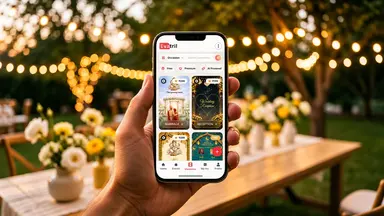
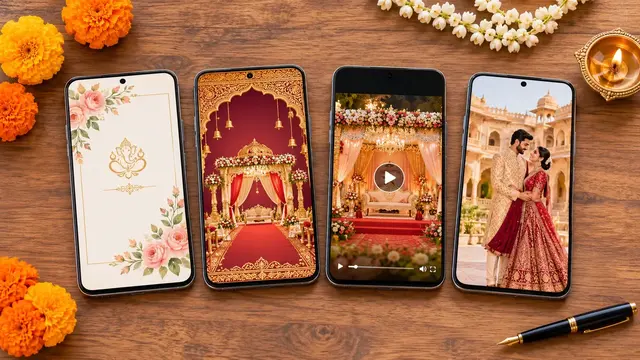
Evatril has four types of digital invitation: a Save the Date, free to personalise and use, for holding the date early; a PDF invitation for full details; a Video invitation for mood; and AI Pretext, a cinematic video with your own photos. You can also upload a design you already have. Choose by timing first, then by occasion.
Save the Date: early notice, free to create.
PDF invitation: the full details, easy to read and zoom.
Video invitation: motion and music for the main invitation.
AI Pretext: a designed video that puts your photos into the scene.
Your own design: upload it free, and it works like the rest once sent.
Most hosts pick a design first and think about timing later. It works better the other way round. A Save the Date sent eight months out has a different job from the invitation guests open the week of the event. This guide compares the four types on Evatril, the fifth route of uploading your own design, and how to choose. It's part of how to create a digital invitation.
What is a Save the Date?
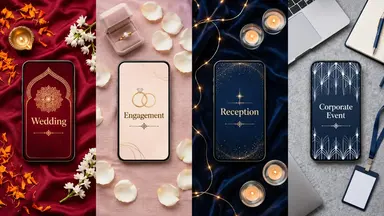
A short card that asks guests to keep the date free, sent before every detail is fixed. It's free to create on Evatril. The Knot suggests sending save-the-dates six to eight months before a wedding, nearer eight for a destination or holiday-weekend wedding. See how to make and send a Save the Date.
What is a PDF invitation?
The full card as a PDF file, for an invitation with a lot to read: a reception with timings and a dress note, or a company evening with an agenda. Guests can zoom in, and the layout looks the same on every phone. See how to make a PDF invitation.
What is a Video invitation?
A ready-made design that plays as a video with your names and details. Motion and music carry the mood better than a still card, so it suits a wedding, an engagement or a reception. See how to make a video invitation.
What is AI Pretext?
A cinematic video with sample people in a setting such as a palace or a garden; the AI swaps them for you. There's no prompt to write and no photo form: it uses the photos already in your event profile, one of each person for a couple, or one image for a birthday. It's built around people, so it isn't the pick for a company event. See AI Pretext explained.
What if you already have a design?
Upload it. That's the fifth route, and uploading is free. A card from your designer, a studio or Canva goes in as a PDF, PNG, JPG or MP4 file up to 50MB, ideally vertical at 1080 × 1920 px so it fills a phone screen. It suits a company with a brand design, or a couple whose card is already made.
How do you choose by timing and occasion?
A simple rule helps. If guests need to hold the date before details are final, send a Save the Date. If they need to read details, use a PDF. If you want them to feel something, use a Video or AI Pretext. If the design already exists, upload it. Rates for the paid types are on the pricing page.
Whichever you choose, the guest opens it on Evatril with their own name on it, on a page made only for this occasion rather than one more file in a chat. You pick the type after filling in the event profile, in Create Invitation.